Files delivered by emailSecure Stripe checkoutYours to keep
Meal planning
Meal Planning Templates
Plan the week, price the trip, know the pantry. The Automated Meal Planner Spreadsheet turns seven days of meal choices into one aisle-grouped shopping list portioned for your household — change a meal and the list recomputes. The Grocery Budget Tracker runs a month-to-date total against the budget you set, per trip, per category, per store. The Pantry Inventory flags the moment you're about to run out and builds the restock list from its own flags. And the Recipe Organizer keeps every family recipe rated, tagged and timed — with a shopping list that builds itself from what you flag to cook this week. All four are formula-driven Excel workbooks that work in Excel, LibreOffice, Numbers and Google Sheets, and each one stands alone.
Meal Planning
Automated Meal Planner Spreadsheet
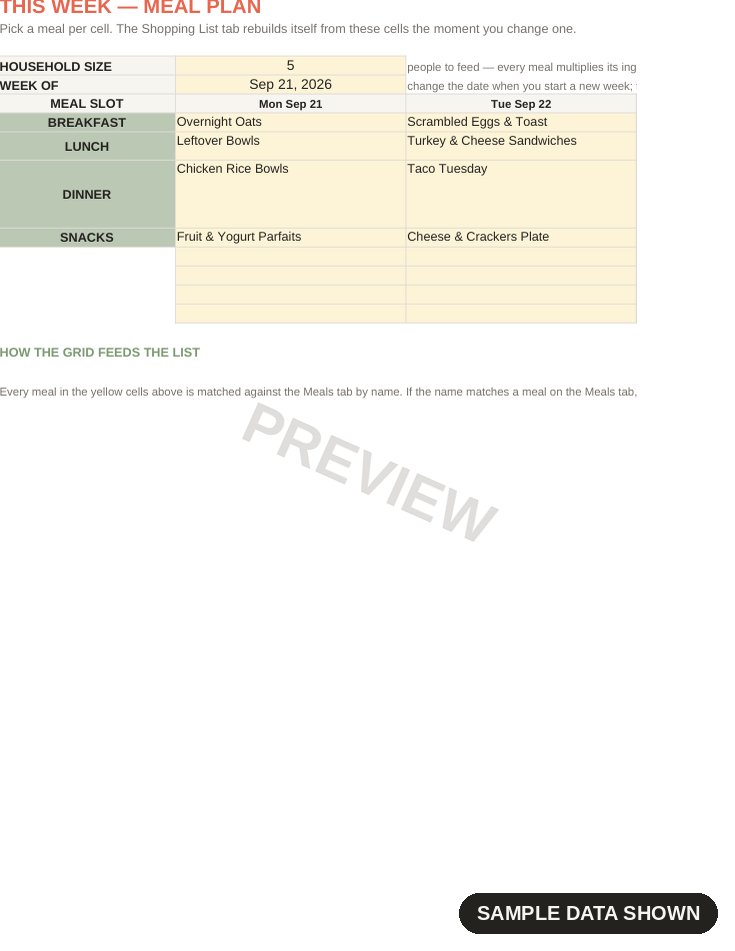
The meal plan where the grocery list builds itself — pick seven days of meals from your library and the workbook computes one aisle-grouped shopping list, scaled to exactly how many people sit at your table. Six sheets: Start Here, the 7-day This Week grid, the Meals library with recipe source and tags, per-meal ingredient lines, the Ingredient Library that keeps units honest, and the SUMIFS Shopping List that groups by aisle with per-aisle counts and a total. Change a meal and the list recomputes; set the household to 2 or 9 and every quantity scales with one number. Works in Excel, LibreOffice, Numbers and Google Sheets. Delivered by email as an .xlsx workbook.
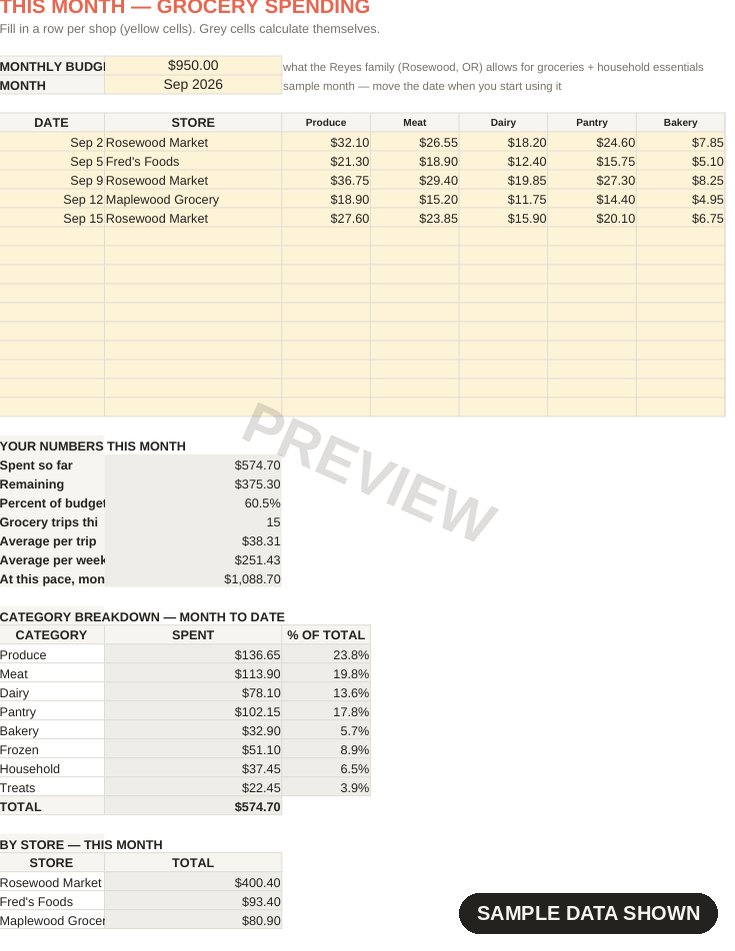
Know what the groceries are actually costing, per trip, per category, per month — before the month is over. One row per shop with a running month-to-date total against the budget you set, seven spending categories with percent-of-spend, per-store SUMIF totals so you can see where the money actually goes, and a History sheet with averages, best and worst month, and a 3-month sanity check for next month's budget. Every number is a formula; none of them are vibes. The sample month shows the Reyes family spending $574.70 of their $950 September budget, so you can watch it add up before you type a single receipt. Works in Excel, LibreOffice, Numbers and Google Sheets. Delivered by email as an .xlsx workbook.
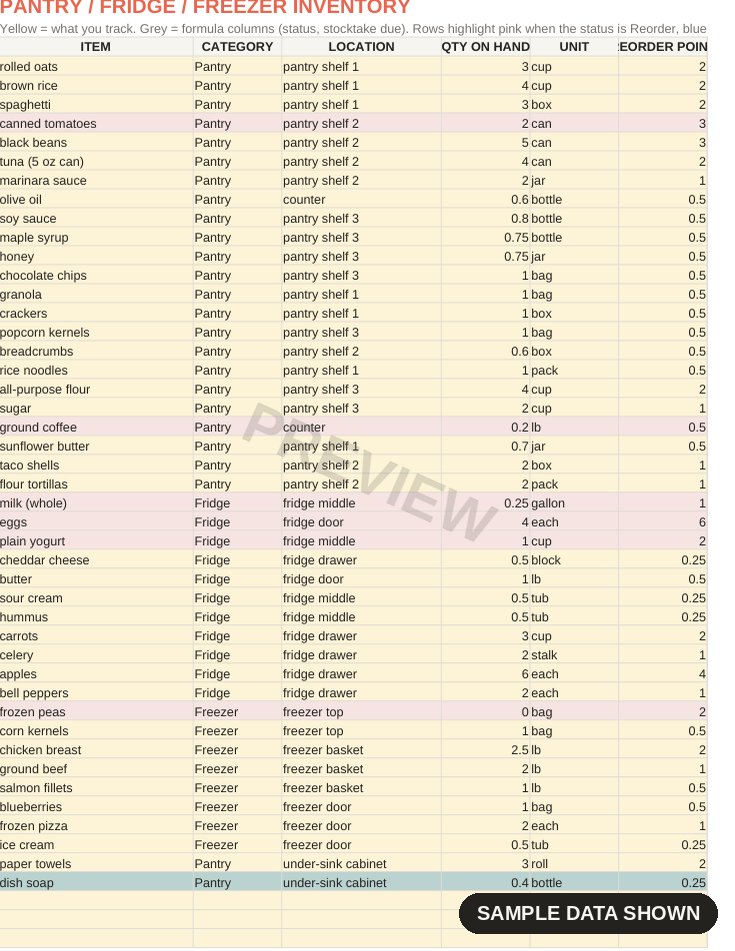
Know what's in the pantry, fridge and freezer — where it lives, when it's best by, and the moment you're about to run out. Log every item with its location, quantity, unit, reorder point and best-before date; the STATUS column computes on its own and flags Reorder the instant quantity hits the reorder point, a blue row marks anything not stocktaken in 14+ days, and the Shopping List builds itself from the flags with a suggested quantity that tops you back up past the reorder point. The sample kitchen is the Reyes family's — 44 realistic items and six reorder flags working, so you can see the logic before you type a thing. Works in Excel, LibreOffice, Numbers and Google Sheets. Delivered by email as an .xlsx workbook.
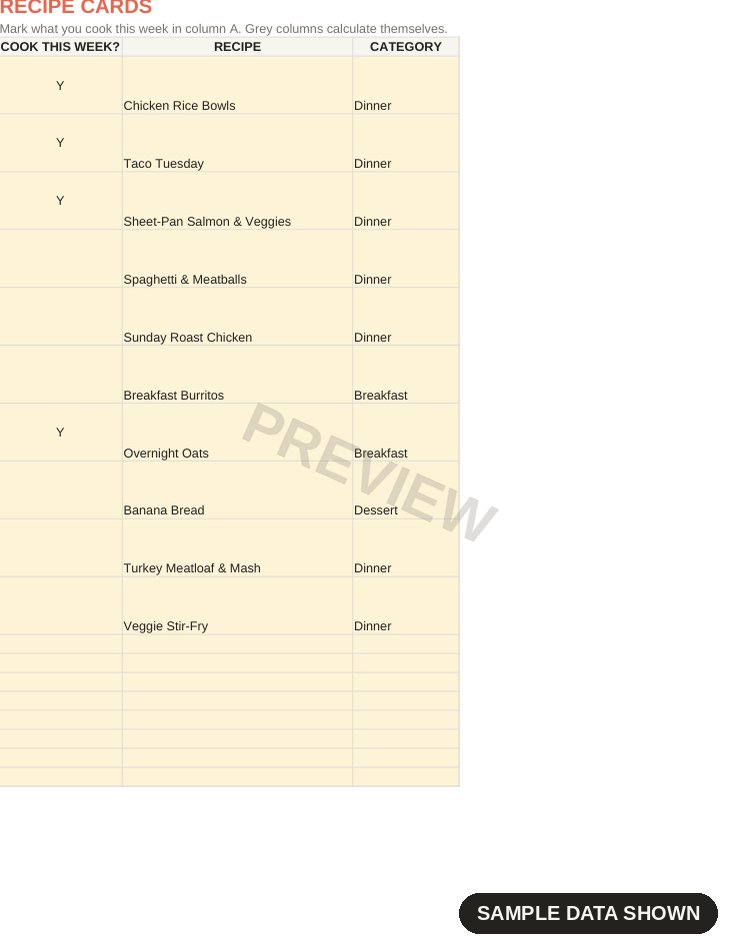
Every family recipe in one place — rated, tagged, timed — and a shopping list that builds itself from what you cook this week. Store recipes like index cards with category, source, servings, prep and cook minutes, a computed total time, your rating out of 5 and the full method; flag one COOK THIS WEEK? Y and the ingredient lines, the weekly menu and the aisle-grouped shopping totals all update together. The sample library is the Reyes family's weeknight rotation — ten recipes, 63 ingredient lines, four flagged for the week, so you can watch the aggregation work line by line. Works in Excel, LibreOffice, Numbers and Google Sheets. Delivered by email as an .xlsx workbook.
 Meal Planning